How to Play
A quick, plain-language guide to American Mah Jongg with My Mahjongg — no prior experience needed.
The tiles
A full set has 152 tiles: three suits — Bams, Craks, and Dots — each numbered 1 through 9 with four copies apiece (108 tiles); the four Winds (North, East, West, South); the three Dragons (Red, Green, and White — American players call the White Dragon “Soap”, since its traditional face is blank); 8 Flowers; and 8 Jokers.
Every numbered or lettered tile carries a small red corner index in the top-left — a numeral for suits, a letter for winds — so you never have to read a character to know what you're holding.

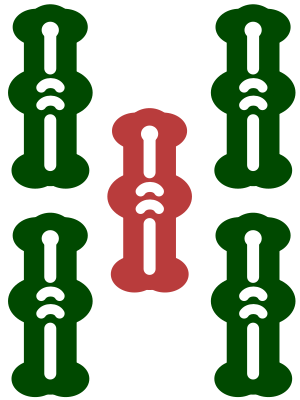





Bring your own card
My Mahjongg is played against your own physical National Mah Jongg League (NMJL) card — the annual card listing that year's valid winning hands. The app never shows or reproduces the card (it's copyrighted); you keep it beside you and decide, hand by hand, whether what you're holding matches one of its hands.
That means declaring Mah Jongg is on the honor system: only you know when your hand is complete, and only you tap Declare Mah Jongg. Don't have a card yet? The Scorecard screen in the gear menu links to where you can buy the current one.
The Charleston
Before play begins, tiles are passed around the table to improve everyone's hand — this is the Charleston. The first Charleston is required: you pass 3 tiles right, then 3 across, then 3 left. You may pass any tiles except Jokers, which never move during the Charleston.
The table can then agree to an optional second Charleston, repeating the same three passes in reverse (left, across, right). Finally, everyone gets a courtesy pass — an optional swap of 0 to 3 tiles with the player across, handy for shedding tiles you already know you won't need.
Blind pass (“stealing”). On the last pass of each Charleston — the final left pass, and the final right pass of a second Charleston — you don't have to give up 3 of your own tiles. Select 0, 1, or 2 of your own and tap Pass; the rest go blind, passed straight on from the tiles coming to you without your ever seeing them. The bar shows exactly how many of yours versus blind you're sending.
Playing a hand
Play moves one seat at a time. On your turn you draw, then discard — the app draws for you automatically and waits for your discard. When another player discards, you may claim it to complete a group of your own: a Pung (3 of a kind), a Kong (4 of a kind), or a Quint (5 of a kind, only possible with a Joker). You can never claim a discard just to make a run, a single, or a pair — only an exposed group of 3 or more (or the tile that completes your Mah Jongg).
A discard is only claimable until the next player draws, so decide promptly — tap Call to claim it or Skip to let play continue. If two players want the same tile, a claim for Mah Jongg beats a claim for an exposure. Until you discard, you may still rearrange which tiles you're showing in a new exposure.
Redeeming a Joker. A Joker sitting in an exposed group on the table represents one specific tile. On your turn, if you hold that tile, tap Redeem Joker to swap it in and take the Joker into your hand — and you may do this against any player's exposure, not just your own. Jokers in a concealed hand can't be redeemed.
Jokers
- A Joker can stand in for any tile inside a group of 3 or more (Pung, Kong, Quint).
- A Joker can never be used in a single or a pair.
- You may discard a Joker, but a discarded Joker is dead — no one can claim it, and it just sits in the discards.
- On your turn you can redeem an exposed Joker from any player by giving the tile it represents (see “Playing a hand” above).
- A winning hand made with no Jokers at all is worth more in most scoring — worth keeping in mind late in a hand.
Dead hands
A hand becomes dead if it can no longer legally win — for example it ends up with too many or too few tiles, or an exposure that doesn't match any valid hand. A dead hand stops drawing and discarding for the rest of the round but keeps its tiles on the table. If you realize your hand can't get there, open the gear menu and choose Call Dead Hand.
Declaring Mah Jongg
When your hand exactly matches one of the hands on your card, tap Declare Mah Jongg and confirm. Because the card is yours alone, this is on the honor system — so check your card carefully before you declare. A declaration that turns out to be wrong doesn't win the round; it just sends you back to your card. Once a real Mah Jongg is confirmed, the round ends and the winning hand is shown face-up.
Controls
- Tap a tile to select it, then tap Discard (or press Enter) to play it. Drag a tile sideways to reorder your rack.
- Sort by Suit reorders your rack (Bams → Craks → Dots, then honors/flowers/jokers) — it's just a view; it never changes your actual hand.
- Declare Mah Jongg opens a confirmation, then ends the round — read your card first!
- The gear icon at the bottom-right of the table opens the menu: New Game, Sound, Choose Tiles, Call Dead Hand, Scorecard, Help, and Exit.